
Short answer: Using AI does not make you less intelligent, but using it as an answer machine can quietly weaken the skills you skip practising. In a large PNAS experiment, students who practised maths with plain ChatGPT scored 17% lower once the AI was removed. The fix is simple: think first, then use AI to critique, question and check your work, so you keep the effort that builds the skill.
Key takeaways
- Nearly 1,000 high-school students who practised with plain GPT-4 did 17% worse than students who never had it, once the tool was taken away.
- A version of the same AI that gave hints instead of answers largely removed that loss.
- In a survey of 319 knowledge workers, more trust in AI went with less critical thinking; more trust in yourself went with more.
- The lesson: let AI do the work, not the thinking. Use it as a sparring partner, not a substitute brain.
The quiet trade you make every time you prompt
Drafting an email, summarising a report, solving a spreadsheet problem: AI makes all of it faster. The cost is easy to miss because it does not feel like a loss. Each time a tool does the thinking, you skip the small mental effort that builds and maintains the skill.
Psychologists call handing mental work to an outside tool cognitive offloading. It is as old as writing a shopping list, and often it is smart. The catch, as researchers Evan Risko and Sam Gilbert point out, is that we decide to offload based on our belief about what is efficient, and those beliefs are not always accurate. With AI, the offloading has moved from remembering phone numbers to reasoning, writing and judging. That is new territory.
If you work in an Indian office, you have probably seen it already: reports that read well but nobody can defend in a meeting, or a colleague who cannot explain a formula they “wrote” yesterday. This guide looks at what the research actually shows and turns it into six habits you can start this week.
What the evidence says

1. Practice with an answer machine can backfire
Hamsa Bastani and colleagues ran a field experiment with nearly a thousand high-school maths students. One group practised with a standard ChatGPT-style interface (“GPT Base”), another with a version that gave hints and asked questions (“GPT Tutor”), and a third had no AI. During practice, grades rose 48% with GPT Base and 127% with GPT Tutor. But on the exam without AI, the GPT Base group did 17% worse than the group that never had it. The GPT Tutor group largely avoided that drop. The researchers’ explanation: without guardrails, students used the AI as a crutch, copying answers rather than working through them.
A follow-up by the same team found something more uncomfortable: learners kept over-relying on on-demand AI help even when they themselves said it was hurting their learning. Knowing the risk is not enough. You need a habit.
2. Trust in AI goes with less thinking
Microsoft Research and Carnegie Mellon surveyed 319 knowledge workers about 936 real tasks where they used generative AI. The more confident people were in the AI, the less critical thinking they reported. The more confident they were in their own ability, the more critical thinking they did. The work also changed shape: less effort on solving the problem, more on checking and stitching together AI output.
3. Heavy offloading tracks with weaker critical thinking
A 2025 study of 666 people in the journal Societies found that frequent AI use was linked to lower critical-thinking scores, and that cognitive offloading explained much of the link. Younger participants were more dependent on AI and scored lower. This is a correlation, not proof of cause: people who already think less critically might simply use AI more.
4. Your brain engages less, and you remember less
At MIT Media Lab, 54 people wrote essays with an AI chatbot, with a search engine, or with no tools, while their brain activity was recorded with EEG. The no-tools group showed the strongest brain connectivity and the chatbot group the weakest. Chatbot users also had the most trouble quoting from essays they had just written. It is a small study and was a preprint when released, so treat it as a warning sign, not a verdict.
Why this happens: the generation effect
Since 1978, psychologists have known that people remember information better when they produce it themselves than when they only read it. This is the generation effect. When AI generates the first draft, the outline and the answer, you skip exactly the step that makes things stick.
A word of caution on an older, famous claim. The 2011 “Google effect” study suggested we remember less of what we expect to find online and more about where to find it. It is widely quoted, but one of its experiments failed in a large 2018 replication project of high-profile studies. The broad idea of offloading is solid; specific headline effects deserve care.
Answer machine vs sparring partner: same tool, different outcome
| Situation | Answer-machine prompt (skips thinking) | Sparring-partner prompt (keeps thinking) |
|---|---|---|
| Writing a report | “Write a report on Q3 sales.” | “Here is my outline. What is missing, and which point is weakest?” |
| Learning a skill | “Solve this Excel formula.” | “Don’t give the answer. Give me one hint at a time.” |
| Making a decision | “Should I take this job?” | “Here are my reasons. Give me the three strongest objections.” |
| Studying for an exam | “Summarise this chapter.” | “Quiz me with 5 questions on this chapter, then mark my answers.” |
| Checking a fact | “Is this true?” | “What is the original source, and what would prove this wrong?” |
The 6 habits
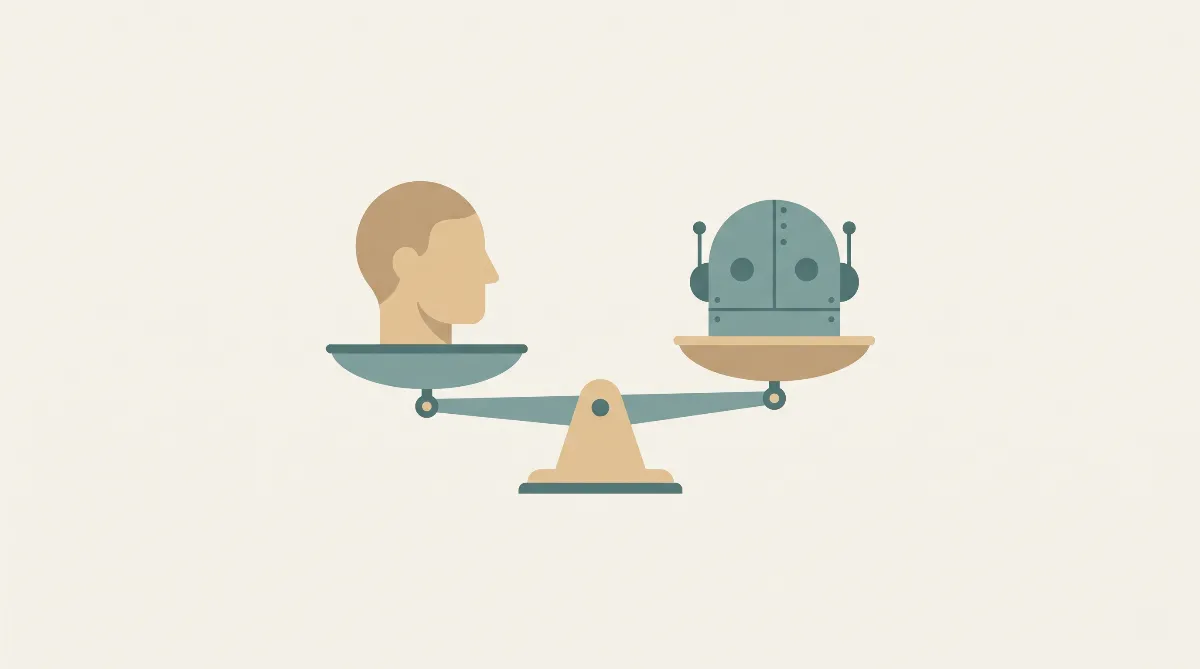
- Answer first, then ask. Before you prompt, write your own two-line answer or a rough outline. Then compare it with the AI’s. You keep the generation effect and you can see what the AI added.
- Make AI your tutor, not your ghostwriter. Ask for hints, questions and harder problems, not the solution. That design is what protected learning in the PNAS study. A prompt you can save: “Don’t give me the answer. Ask me one question at a time and tell me where my reasoning is weak.”
- Ask for the counter-argument. Paste your plan and ask for the three strongest objections. Then you decide which ones matter.
- Demand sources, then open them. When AI names a study, a law or a number, ask for the original and check the date and the source yourself. Never trust a summary of a summary.
- Test it on something you know well. Watch for mistakes and for the habit of agreeing with you. Researchers call this sycophancy and found it across several leading AI assistants. Seeing it once makes you a sharper user everywhere else.
- Keep one no-AI thinking block a day. 25–45 minutes of real thinking work with no AI: a draft, a problem, a plan. It keeps your self-confidence earned, which is the trait the Microsoft study linked to more critical thinking. If you already protect quiet time, as in our weekly mental reset, put this block inside it.
What these habits cost: a worked example
Say you use AI for about 4 substantial tasks a working day: a report section, two important emails and one spreadsheet problem. Here is the honest time cost of the habits, using our own rough estimates:
| Habit | Extra time per day | Extra time per week (5 days) |
|---|---|---|
| Answer first (3 min × 4 tasks) | 12 min | 1 hour |
| Check one source per day | 5 min | 25 min |
| No-AI thinking block | 30 min | 2.5 hours |
| Total | 47 min | about 4 hours |
Four hours a week sounds like a lot until you look at what it protects. The no-AI block is not extra work; it is the work you were going to do anyway, done without a crutch. The 12 minutes of “answer first” is the real cost, and it buys you the ability to defend your work in a meeting, spot when the AI is wrong, and still do the job on the day the tool is down or banned in an exam hall. If 47 minutes is too much, start with answer-first only.
Common mistakes
| Mistake | Why it hurts | Better approach |
|---|---|---|
| Quitting AI completely out of guilt | You lose real productivity gains and usually relapse | Choose what to offload; keep judgement tasks |
| Prompting before thinking | Skips the generation effect | Write a 2-line answer first |
| Treating fluent text as correct text | AI can sound confident and be wrong | Ask for the source and open it |
| Asking leading questions | AI tends to agree with you | Ask neutrally, or ask for objections |
| Using AI to “learn” by reading its answers | Reading feels like learning but builds little | Ask it to quiz you instead |
A quick self-check
- Could I explain my last AI-assisted piece of work without looking at it?
- Did I change anything the AI suggested, or just accept it?
- When did I last solve a hard problem in my field without help?
If the answers make you uncomfortable, you don’t need to stop using AI. Just move one step back into the driver’s seat. Boredom and blank pages are part of thinking, too; our piece on why boredom is good for creativity explains why.
Your one action
Today, before your next AI prompt, set a 3-minute timer and write your own answer first. Then ask the AI only one thing: “What is wrong or missing in my answer?”
Honest limits: what we could not verify
- Most studies are short-term, and several are correlational or self-reported. Nobody yet knows the long-term effect of years of AI use.
- The MIT EEG study is small (54 people) and was not peer-reviewed when released.
- The PNAS experiment was in high-school maths in one country; results for adult office work may differ.
- The time estimates in our worked example are our own rough numbers, not research findings.
- Offloading is not always bad. Handing routine tasks to AI can free attention for deeper work. The goal is to choose what you offload.
FAQ
Does using ChatGPT make you less intelligent?
There is no evidence that it lowers intelligence. There is evidence that leaning on it for answers can weaken learning and critical thinking in that task, especially when you practise with it.
What is cognitive offloading?
Using an outside tool, such as a note, a calculator or AI, to reduce the mental effort a task needs. Heavy offloading to AI is linked to lower critical-thinking scores.
How can students use AI without hurting learning?
Use it as a tutor that gives hints and asks questions, not as an answer machine. That setup largely removed the learning loss in the PNAS study.
What is AI sycophancy?
The tendency of AI assistants to agree with the user, even when the user is wrong. Ask neutral questions and ask for objections to reduce it.
Should I stop using AI at work?
No. Keep using it, but form your own view first, verify important output, and protect one no-AI thinking block a day.
Is the “Google effect” on memory proven?
The idea that we offload memory to the internet is widely accepted, but one experiment from the original 2011 study failed to replicate in 2018, so specific claims should be treated with care.
How much time do these habits take?
Our rough estimate is about 12 minutes a day for “answer first”, plus an optional 30-minute no-AI block. Start with the 12 minutes.
Written by Kuldeep, Zenitho · Last updated: 22 November 2026
Related reading
- Why multitasking makes you slower — and what to do instead
- Time blocking: a simple guide to planning days that actually work
- How to build a “second brain” without getting lost in apps
- You Don’t Need a Monastery: A Mental Reset You Can Do This Week
- Why Boredom Is Good for Your Creativity
What’s one task you’ll take back from AI this week? Tell us in the comments.
Sources
- Bastani H., Bastani O., Sungu A. et al. – Generative AI without guardrails can harm learning: Evidence from high school mathematics. PNAS 122(26), 2025
- Lee H.-P. et al. (Microsoft Research & Carnegie Mellon) – The Impact of Generative AI on Critical Thinking. CHI 2025
- Gerlich M. – AI Tools in Society: Impacts on Cognitive Offloading and the Future of Critical Thinking. Societies 15(1):6, January 2025
- Kosmyna N. et al., MIT Media Lab – Your Brain on ChatGPT (preprint, 2025)
- Slamecka N. J. & Graf P. – The generation effect: delineation of a phenomenon. J. Exp. Psychol.: Human Learning and Memory, 1978
- Sharma M. et al. – Towards Understanding Sycophancy in Language Models (arXiv 2310.13548)
- Risko E. F. & Gilbert S. J. – Cognitive Offloading. Trends in Cognitive Sciences 20(9), 2016
- Sparrow B., Liu J. & Wegner D. M. – Google Effects on Memory. Science 333, 2011
- Camerer C. F. et al. – Evaluating the replicability of social science experiments in Nature and Science between 2010 and 2015. Nature Human Behaviour 2, 2018
- Knowledge at Wharton – When Does AI Assistance Undermine Learning? (on Poulidis, Bastani & Bastani, ‘Self-Regulated AI Use Hinders Long-Term Learning’)
हर नया आर्टिकल, वीडियो और रोज़ का एक छोटा self-improvement टिप — सीधे आपके WhatsApp पर। Free, no spam.


Leave a Reply